

Overview
Vozo automatically generates dubbing that replicates each speaker’s average tone, emotion, and speaking style. But if you want to fine-tune a specific segment to express more nuanced or heightened emotions, you can use the Enhance Emotion feature.How to Use
1
Select a segment
Select the segment you want to enhance, then click the Enhance Emotion button.
2
Choose emotions
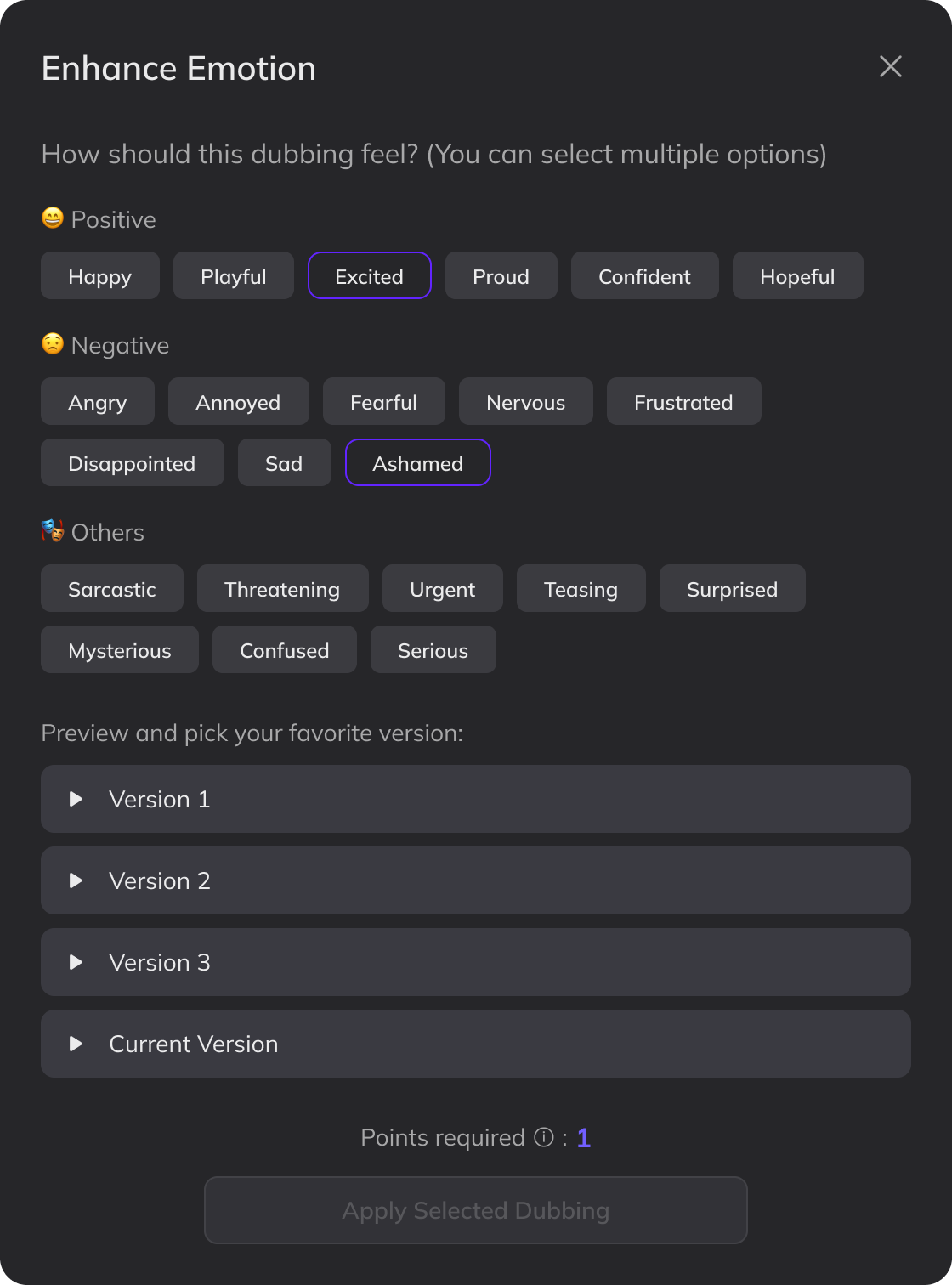
Choose one or more emotions that best match the intended tone. For more nuanced expressions, you can select multiple options — for example, Excited + Surprised.
3
Generate emotional versions
Click Generate with Emotion. After a short wait, you’ll receive three emotionally enhanced versions.
4
Preview and apply
Preview the options and select your preferred version. Click Apply Selected Dubbing to use it.
Emotion enhancement requires additional processing power and will consume 1 point.
Limitations
- Once an emotionally enhanced dubbing is applied, clicking Update Dubbing or Redub will replace it with a standard version that does not retain emotional effects. Make sure both the speaker and translation are finalized before enhancing emotion.
- The Enhance Emotion feature is not compatible with Add Pause. If your translation includes pause markers, they will not be reflected in the enhanced dubbing.
- The dubbing preview will use a standard speed. You can adjust the speed on the timeline after applying.
- This feature may be less effective for extreme emotions such as intense crying or screaming.
FAQ
Can I enhance multiple segments at once?
Can I enhance multiple segments at once?
Currently, emotion enhancement must be applied one segment at a time. Batch processing is not supported.