> ## Documentation Index
> Fetch the complete documentation index at: https://www.vozo.ai/docs/llms.txt
> Use this file to discover all available pages before exploring further.
# Enhance Emotion
> Add emotion to your dubbing segments for more expressive delivery.
## Overview
Vozo automatically generates dubbing that replicates each speaker’s average tone, emotion, and speaking style.
But if you want to fine-tune a specific segment to express more nuanced or heightened emotions, you can use the **Enhance Emotion** feature.
## How to Use
Select the segment you want to enhance, then click the **Enhance Emotion** button.
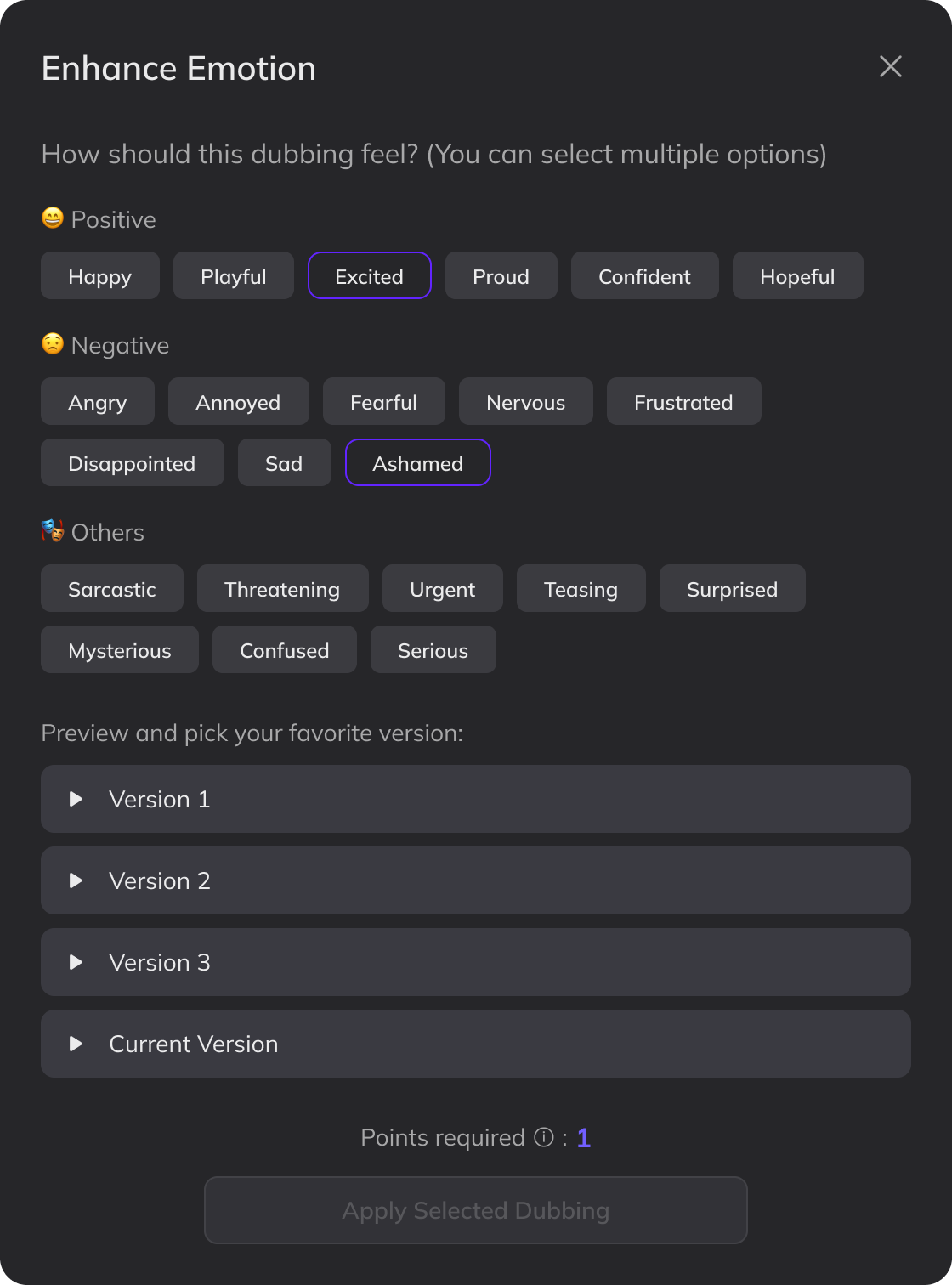
Choose one or more emotions that best match the intended tone. For more nuanced expressions, you can select multiple options — for example, *Excited* + *Surprised*.
Click **Generate with Emotion**. After a short wait, you’ll receive three emotionally enhanced versions.
Preview the options and select your preferred version. Click **Apply Selected Dubbing** to use it.
If you’re not satisfied with the result, you can change the selected emotions and regenerate — or select **Current Version** to keep the original without consuming any points.
Emotion enhancement requires additional processing power and will consume **1 point**.
 ## Limitations
* Once an emotionally enhanced dubbing is applied, clicking **Update Dubbing** or **Redub** will replace it with a standard version that does not retain emotional effects. Make sure both the speaker and translation are finalized before enhancing emotion.
* The **Enhance Emotion** feature is not compatible with **Add Pause**. If your translation includes pause markers, they will not be reflected in the enhanced dubbing.
* The dubbing preview will use a standard speed. You can adjust the speed on the timeline after applying.
* This feature may be less effective for extreme emotions such as intense crying or screaming.
## FAQ
Currently, emotion enhancement must be applied one segment at a time. Batch processing is not supported.
## Limitations
* Once an emotionally enhanced dubbing is applied, clicking **Update Dubbing** or **Redub** will replace it with a standard version that does not retain emotional effects. Make sure both the speaker and translation are finalized before enhancing emotion.
* The **Enhance Emotion** feature is not compatible with **Add Pause**. If your translation includes pause markers, they will not be reflected in the enhanced dubbing.
* The dubbing preview will use a standard speed. You can adjust the speed on the timeline after applying.
* This feature may be less effective for extreme emotions such as intense crying or screaming.
## FAQ
Currently, emotion enhancement must be applied one segment at a time. Batch processing is not supported.