> ## Documentation Index
> Fetch the complete documentation index at: https://www.vozo.ai/docs/llms.txt
> Use this file to discover all available pages before exploring further.
# Clone New Voice
> Learn how to clone a voice using an audio recording or uploaded file.
Vozo allows you to clone a new voice and apply it to your translation projects. This is especially useful if you want to personalize the audio output or ensure consistency across multiple projects.
Click on any target sentence to activate the toolbar, then click **Change Voice** to open the dialog box.
In the dialog, open the dropdown menu and click **Choose More from Library**. Go to the **Cloned Voice** tab and select **Clone New Voice**.
You can either upload an audio file or record your voice directly in the dialog. This audio sample will be used to train the cloned voice.
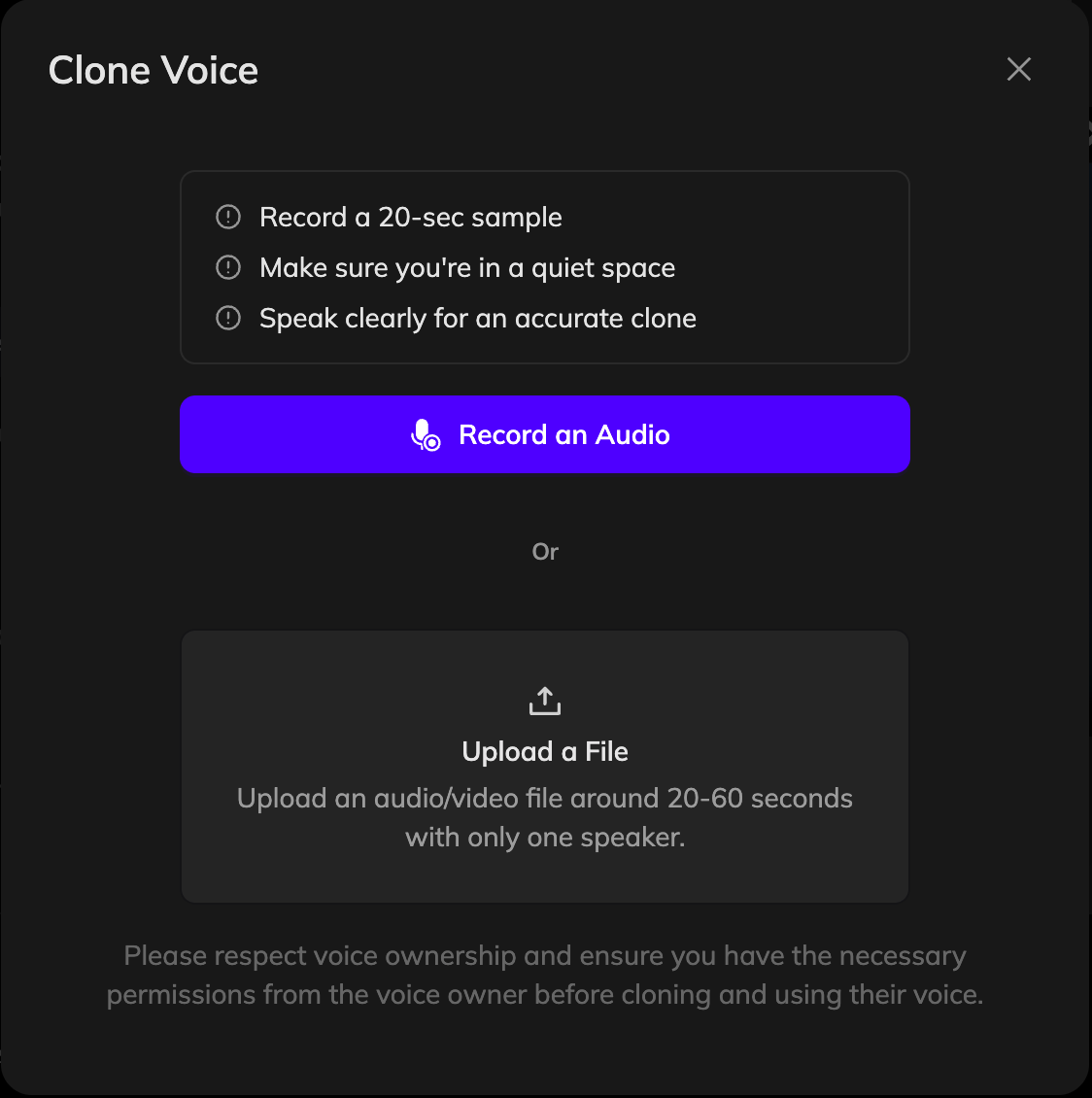 Give your new voice a name and click **Clone My Voice**. Vozo will process the sample and generate a new voice profile, which may take a few minutes.
Once the new voice is ready, it will appear in your voice library. You can check the box to apply it to all lines spoken by the same speaker, or uncheck it to apply the voice change to just the current sentence. Then click **Confirm** to apply the selected voice.
Click **Generate Speech** to regenerate the audio with your newly cloned voice.
If you're not satisfied with the current speaker's voice and want to re-clone it using segments from the project, use the [**Reclone**](/docs/translate_dub/reclone_voice) feature instead.
Give your new voice a name and click **Clone My Voice**. Vozo will process the sample and generate a new voice profile, which may take a few minutes.
Once the new voice is ready, it will appear in your voice library. You can check the box to apply it to all lines spoken by the same speaker, or uncheck it to apply the voice change to just the current sentence. Then click **Confirm** to apply the selected voice.
Click **Generate Speech** to regenerate the audio with your newly cloned voice.
If you're not satisfied with the current speaker's voice and want to re-clone it using segments from the project, use the [**Reclone**](/docs/translate_dub/reclone_voice) feature instead.